PRO
PRO
Microsoft Copilot Course
Building Agentic Workflows with Microsoft Copilot
Learn essential Microsoft Copilot skills, like advanced prompting, Microsoft 365 workflows, GitHub Copilot, RAG, agentic workflows,& AI security. Join this Microsoft Copilot course to improve productivity, coding& decision-making.
Build skills and get job ready
Skill prep
Job prep
50+ Guided Projects
AI Resume Builder
AI Mock Interviews
About this course
This Microsoft Copilot course helps you build practical AI skills for modern work by showing how Copilot works across research, productivity, coding, and automation. You will learn the core science behind Copilot, including Generative AI, LLMs, transformer architecture, pre-training, grounding, the Copilot stack, Microsoft Graph, Semantic Index, and the RAG pipeline. The course also covers Microsoft Copilot chat modes, advanced prompting, image creation, Notebook, Windows integration, and hands-on use across Word, Excel, PowerPoint, and Outlook. In addition, you will learn GitHub Copilot for coding, testing, refactoring, and bug fixing, along with Copilot Studio for custom agents, data connectors, and agentic workflows.
Through this hands-on project, you will apply these skills in a realistic business scenario that requires analysis, coordination, and fast decision support. You will use Microsoft Copilot, GitHub Copilot, Copilot Studio, and Microsoft 365 tools to review information, create decision-ready outputs, support cross-functional communication, and build practical agent workflows. By the end of this course, you will be able to use Copilot more confidently, improve productivity, support faster decisions, and work more effectively with AI across professional tasks.
Earn a certificate with an Academy Pro+ subscription
Subscribe To Pro+ • $29/Month

Stand out to recruiters
Share on professional channels
Globally recognised
Land your dream job
Course outline
Industry focussed curriculum designed by experts
The Science of Copilot
3 items
0.37 hr
- Generative AI vs. LLMs in the Enterprise
- Transformer Architecture and The Copilot Stack
- Microsoft Graph, Semantic Index, and RAG
Copilot and Copilot 365
4 items
0.37 hr
- UI Modes and Advanced Prompting
- Creativity and Experimental Tools
- Copilots OS Integration
- Copilot for M365
GitHub Copilot
3 items
0.27 hr
- IDE Integration and Understanding Code
- GitHub Copilot Chat and Debugging
- Refactoring and Testing
Copilot Studio
3 items
0.27 hr
- Introduction to Creating Agents using Copilot Studio
- Agentic Workflows and Deployment
- Building Connected Agents
Security, Privacy and Ethics
3 items
0.23 hr
- Copilot vs The Market
- Responsible AI and Ethical Deployment
- Security, Privacy, and Data Governance
Get access to the complete curriculum with your free trial
Start 7-Day Free TrialGuided Projects
Solve real-world projects with this Microsoft Copilot Training with a step-by-step guide, starter code templates, and access to model solutions to boost your skills and build a standout resume.
Get a project certificate to add to your resume
Earn a certificate for every project you complete.
- GUIDED PROJECT 1
- GreatApp Supply Chain Rapid Response Program with Microsoft Copilot
- GreatApp Manufacturing is facing supply-chain problems such as shipment delays, supplier performance issues, and operational risk. In a real company, these kinds of issues cannot be handled casually. Teams need to quickly understand the problem, check reliable information, prepare decision-ready outputs, and coordinate actions across different departments. This guided project is designed to help you practice exactly that using Microsoft Copilot and related tools. The project is divided into three implementations, and each one teaches a different practical skill.
Gain skills & build your resume with complete access to guided projects in your free trial
Start 7-Day Free TrialCourse Instructors

Pragya P
Our Learners Experience


Frequently Asked Questions
What will I learn in this Microsoft Copilot course?
This course teaches the full Copilot workflow, from understanding transformer architecture and Copilot features to using Microsoft 365, GitHub Copilot, and Copilot Studio. You will learn Copilot chat, Copilot Imagine, Windows integration, custom agent creation, security, privacy, and responsible AI use.
Who should take this Microsoft Copilot course with certificate?
This course is designed for professionals who want to use AI more effectively across daily work, coding, communication, and workflow automation. It is useful for managers, analysts, developers, operations teams, and anyone who wants to learn Microsoft Copilot for real business tasks.
What topics are covered in this Microsoft Copilot course online?
The following modules are covered in this course along with a guided project:
The Science of Copilot
Copilot and Copilot 365
GitHub Copilot
Copilot Studio
Security, Privacy and Ethics
What skills are taught in this Course?
This course focuses on practical workplace and technical skills. You will learn:
Ms Copilot
Github Copilot
Copilot Studio
Ms 365 with Copilot
Creating Agents
Copilot Imagine
Copilot chat
Windows Integration
Will I learn Microsoft Copilot in Microsoft 365 apps?
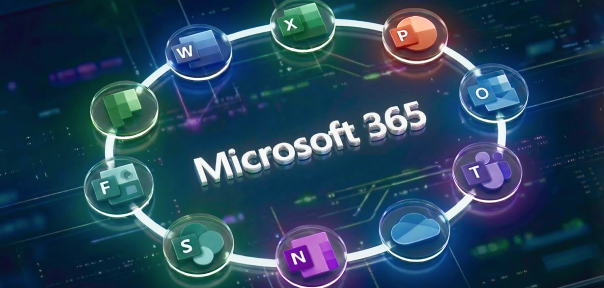
Yes. This course includes hands-on exposure to Microsoft 365 with Copilot. You will learn how Copilot supports workflows across Word, Excel, PowerPoint, and Outlook so you can create content faster, organize work better, and improve productivity.
Does this Microsoft Copilot course online include GitHub Copilot?
Yes. This course includes GitHub Copilot as a core part of the training. You will learn how to use it for writing code, refactoring, fixing bugs, generating test files, and improving development workflows inside Visual Studio Code.
What guided project is included in this course?
This course includes a guided project based on a real business problem. You will use Microsoft Copilot, GitHub Copilot, Copilot Studio, and Microsoft 365 tools to review information, prepare outputs, support decisions, coordinate across teams, and practice agent-based workflows in a structured scenario.
Will I learn how to build agents in this Microsoft Copilot agentic AI training?
Yes. This includes Copilot Studio, where you will learn how to build custom agents, work with data connectors, and understand how agentic workflows support automation and task coordination across business processes.
Does this Microsoft Copilot Agentic Workflow Course cover security and privacy?
Yes. This course includes a dedicated module on security, privacy, and ethics. You will learn how to think about responsible AI use, data handling, governance, and privacy while working with Copilot in professional settings.
How will this help in real-world situations?
This course helps you apply AI to practical work. You will learn how to speed up content creation, improve coding workflows, support analysis, build agents, and use Microsoft 365 more effectively. These skills help you work faster, make better decisions, and handle tasks more efficiently.
What are the practical outcomes of completing this course?
By the end of this Microsoft Copilot course online you will be able to use Copilot across Microsoft 365, work with GitHub Copilot for coding tasks, create custom agents in Copilot Studio, and apply security-aware AI practices. You will also have a clearer understanding of how to use Copilot for workflow improvement and business productivity.
Subscribe to Academy Pro+
Build skills and prepare for jobs with access to 500+ courses, certificates and tools.
Subscribe To Pro+ • $29/Month
Skill Prep
Build skills with courses, practice with tools and earn certificates.

500+ courses

500+ Coding Exercises

Microsoft & AWS certificates

Job Prep
Work on industry-relevant scenarios, build professional resumes & prepare for jobs with mock interviews

50+ Guided Projects

AI Resume Builder

AI Mock Interviews
Application-driven learning to
Become a Skilled Professional with Pro Courses
Gain work-ready skills with guided projects, top faculty and AI tools, all at an affordable price.









.jpg)

.png)


.png)










.png)
 (1).jpg)

.png)
.jpg)

.png)
.png)
.png)
.png)
.png)
.png)


.png)
.png)
.png)



.png)
 (1).png)



.png)
.png)
.png)


.jpg)
.png)
.png)
.png)
.png)


.png)

.png)
.jpg)

.jpg)
.jpeg)
.png)
.jpg)
.jpg)
.png)